

Your LinkedIn profile
is probably doing less than you think
7 Minutes read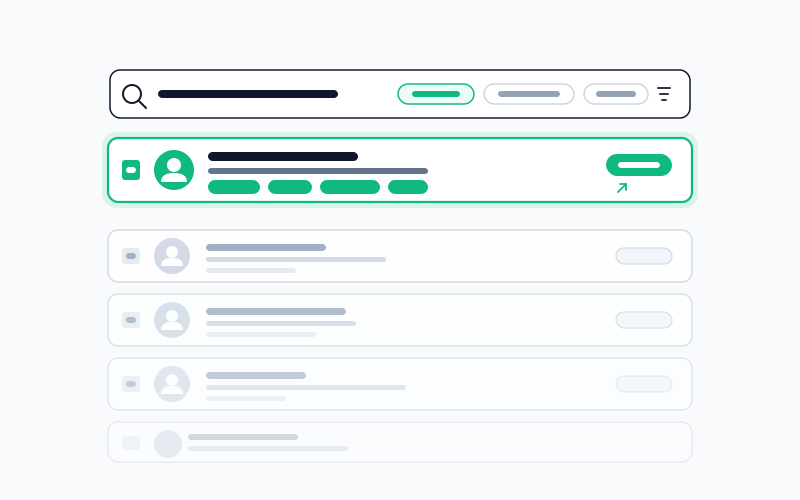
Most LinkedIn advice is cargo-culted. Here's what actually moves the needle when recruiters are searching.
Forget everything you've read about LinkedIn.
Not because it's all wrong. Because most of it optimizes for the wrong job. Advice about posting consistency, banner design, and thoughtful commenting is about building an audience. That's a reasonable goal: it's just not the same goal as "get a recruiter to message me about a role I'd take."
If your actual objective is inbound recruiter messages, the mechanics are narrower than the advice suggests. This post is only about those mechanics.
What LinkedIn mechanically is
Strip the feed away. For a job seeker, LinkedIn is a single thing: a database that recruiters query.
A recruiter opens Recruiter (or the free search), types a combination of title, skills, location, and years of experience, and gets a list of profiles ranked by a relevance model. They scan the first page. Maybe the second. They message the ones who look promising.
That's the entire mechanic. Everything that matters about your profile is either:
- Findable: do you appear in the right queries?
- Openable: if you appear, does the recruiter click?
- Messageable: if they click, do they start a conversation?
Every piece of LinkedIn advice should be graded against those three tests. Most of it fails.
The fields that rank you
The ranking model isn't fully public, but from years of observed behavior and LinkedIn's own documentation, the weights look roughly like this:
Current and past job titles: heavy weight. This is the single biggest driver of findability. A recruiter searching "Product Manager" finds you much more reliably if your title is literally "Product Manager" rather than "Product Lead II" or "Senior Associate, Product Team."
Skills: medium weight, but increasingly used as a hard filter. The shift happened gradually: skills used to rank you, now they filter you. If a recruiter checks "must have Kubernetes" and you didn't list it, you're gone, even if you have three years of it in your job descriptions.
Headline: indexed and visible in search results. Double duty: ranks you and persuades the click.
Location: filter field. Get this wrong and you're excluded from geo-specific queries. Set it to the market you're actually applying to.
About section: indexed but lightly weighted. Real value is after the click, not during the search.
Notice what's not on this list: connection count, daily post activity, banner image, featured section, likes you've given, your commenting history. None of these affect search ranking in any measurable way. They're audience-building tools. Useful for other things; zero effect on recruiter search.
Headline rewrite workshop
The headline is the single field where you have full creative control and most people waste it.
Bad:
Passionate product person | Ex-Google | Stanford MBA
Problems: "passionate" doesn't match any recruiter query. "Product person" doesn't either: nobody searches that. "Ex-Google" only helps for recruiters specifically sourcing ex-Googlers (small share). "Stanford MBA" signals pedigree but doesn't filter you into the right role search.
Better:
Senior Product Manager · Fintech, Payments · Led 0→1 launch at Stripe
Why it works: "Senior Product Manager" is what recruiters type. "Fintech, Payments" filters you into domain searches. "Led 0→1 launch at Stripe" is one specific fact that separates you from the other 40 Senior PMs at the top of the results.
Even better, if you're specific on outcome:
Senior PM (B2B Fintech) · Shipped Stripe Terminal · Open to Series B
Now you're optimizing for messageability too. A recruiter reading that knows exactly what pitch to send.
The pattern: [searchable title] · [domain filter] · [one differentiating specific]. Forty characters max. Every word earns its place or gets cut.
Skills: the section nobody maintains
Three rules, in order of impact:
- List the skills that would filter you into the searches you want to be in. Don't list everything. The top five get endorsements and matter most.
- Get endorsements on those five. Ask former colleagues directly. Most people endorse if asked and don't if not. Silence here is not neutral: it's weak signal.
- Update when your stack changes. Profiles listing 2022 skills look stale to recruiters, and wrong skills filter you out of current searches.
That's the whole thing. It takes twenty minutes a year.
About: not a resume summary
The biggest About-section mistake is copying the resume summary. They're different artifacts with different jobs.
The resume summary is a three-line compressed pitch designed to be skimmed inside a 6-second resume review. The About section has different constraints: the recruiter has already decided to click through. Now they're evaluating whether to message.
Write it as a human, in three short paragraphs:
- What you do and where you're strong
- One or two concrete, recent things you've done
- What you're looking for next: specific, not coy
Recruiters use About sections to answer "would this person take a call about something like our role?" If the profile doesn't answer that, they don't bother messaging. The implicit cost of being vague is high, usually invisible to you because the message that never arrives leaves no trace.
Open to Work settings
LinkedIn gives you two options: the public #OpenToWork frame visible to everyone, and the recruiter-only setting that's invisible to your current employer.
- Unemployed or openly searching: public frame is fine. It signals availability and increases inbound.
- Employed and quietly searching: use the recruiter-only setting. It works, it's invisible to your current company, and it's one of the highest-signal moves you can make for passive inbound.
Either way, set role types, locations, and compensation floor honestly. These are filter fields. "Open to anything anywhere at any salary" is functionally equivalent to noise and often gets filtered out.
The audience-building myths
Things you can skip with zero guilt:
- Daily posting. Building an audience is a legitimate long game if you're selling services or building a personal brand. For recruiter inbound, the effect is small and inconsistent.
- Connection count over 500. The display has said "500+" for everyone for a decade. No recruiter filters on count.
- Custom banner design. Tiny effect. If you have one that's clean, leave it. Don't spend 40 minutes designing one.
- Featured section stuffing. Genuinely impressive links (a talk, a launch, a published article) help. Random additions don't.
None of these are bad to do if you enjoy them. They're bad to do if you're doing them because you think they affect getting hired.
The tailoring tension
LinkedIn holds one version of you. Every application wants a different version. You can't rotate your headline per posting the way you rotate your resume.
The resolution is structural: optimize the profile for the center of gravity of the roles you want, and let the resume (and cover letter) do the per-application tailoring. One public face, many tailored submissions: that's the split that holds up when you're applying at volume.
The five-item priority list
If you only do five things, do these:
- Current title matches how recruiters search
- Headline rewritten with the pattern above
- Skills section updated and endorsed
- Open-to-Work set with honest parameters
- About section answers "would I take a call?"
Do those and you've beaten roughly 90% of profiles. The rest is optional polish.
The unflattering truth
Even a perfectly optimized profile won't generate inbound in a frozen market. And no headline polish fixes a resume with gaps that recruiters filter on. LinkedIn is one input. A meaningful one (it works while you sleep) but it isn't the search.
Set it up once, get it close to right, stop tinkering, and get back to applying.
If coordinating your public profile with per-role tailored applications is the work that keeps slipping, Jobiz keeps the two aligned so you're not rewriting the same story twice.
No spam. Unsubscribe anytime.
Related Articles
The recruiter screen: what the first call is really checking
The first call is short, but it filters more candidates than any other stage. What the recruiter is listening for, and how to answer the money question.
 Jobiz Team
Your employer made a counter-offer. Should you take it?
A counter-offer fixes the number, rarely the reason you looked. How to weigh one honestly, and how to turn it down without burning the bridge.
Jobiz Team
Take-home assignments: how much unpaid work is too much?
A fair take-home is a few hours, scoped, and reviewed by a person. How to tell a reasonable one from free consulting, and what to say when it isn't.
Jobiz Team