

The case against
browsing for jobs
9 Minutes read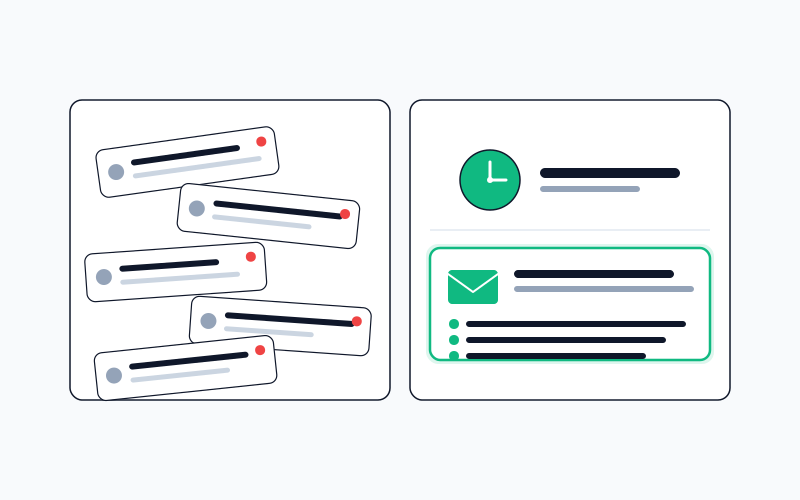
Opening LinkedIn five times a day feels like job-searching. It mostly isn't. Here's why scheduled-delivery habits beat browsing-based ones.
Active job-searching is mostly two activities, mixed uneasily together: searching (scanning the market for roles worth applying to) and applying (tailoring materials, writing, submitting). Most candidates do both at the same time, in the same session, on the same tabs. This is the biggest workflow mistake in job search, and the one that makes the whole process feel exhausting even when few applications are actually getting sent.
The fix is a separation: searching happens in one dedicated session per day, applying happens in a different session, and the rest of the day doesn't have either one bleeding into it. The reason this works isn't mysterious: it's the same reason email batching beats inbox-monitoring. Fewer context switches, cleaner decisions, less background anxiety. This post is about why that matters for job search specifically, and what a good scheduled-search habit looks like in practice.
What "browsing" actually costs
When a candidate is browsing for jobs (opening LinkedIn, checking Indeed, refreshing the career page of three target companies) each session costs more than the three minutes on the screen.
The real cost:
- Context switch into the search. You had to stop what you were doing (work, focus, relaxation) and shift attention into "am I in job-hunting mode." That switch costs 5–15 minutes of focus time even if the browsing took three.
- Context switch out. Whatever you were doing before, you're now re-acquiring context on.
- The emotional cost of checking. Job boards are designed to feel urgent. Scrolling through them produces a low-grade anxiety regardless of whether you found anything useful.
- The residual mental state. For an hour after browsing, a sliver of attention is still on the roles you just saw. You can't fully reinvest in anything else.
Do this six times a day and the pattern becomes: working-ish, half-searching-ish, half-anxious, all day. You think you're spending thirty minutes on job search. You're actually losing three to five hours of productive attention to it, without the payoff of any real applications submitted.
What scheduling swaps for what
Replacing browsing with a scheduled habit looks different:
- One session per day for reviewing search output. Fifteen minutes. Morning, before the workday starts, is ideal.
- A separate block (30 to 60 minutes, once or twice a week) for actually applying to the roles that surfaced.
- Zero searching the rest of the time. The morning batch has already happened. The tabs stay closed.
The math: four hours of scattered attention replaced with one hour of concentrated attention plus one dedicated applying block. Every part of the day that isn't in those blocks is yours to spend without the low-grade search anxiety hanging on in the background.
That's the real win. The search actually gets better under this pattern because you're making decisions in a single session where you can see all the results at once and compare, rather than in six little sessions where each role is evaluated in isolation against whatever mood you were in at 2:47pm.
The cadences that actually work
For most candidates, the right cadence question is really about which of three modes they're in:
Active search (under 3 months goal). Daily cadence. One batch of matches delivered in the morning, reviewed over coffee, decisions made in one pass. Hourly cadences exist for the rare niches where being in the first ten applicants matters, but for most categories daily is the sweet spot: the emotional urgency of more frequent alerts rarely outweighs the cognitive cost.
Passive / exploratory. Weekly cadence. "Not actively looking, but curious what's out there." A weekly digest on a Sunday evening fits into that mental slot without bleeding into the workweek.
Narrow senior-level search. This is the one case where faster cadences sometimes make sense: very narrow roles at companies with small applicant pools, where being in the first ten applicants genuinely matters. Even here, several checks per day is usually overkill; once or twice is enough.
Mixing cadences is normal: one daily alert for your top target categories, one weekly digest for a broader curiosity-driven list. What matters is that each search runs at its own appropriate cadence instead of being lumped into a single default.
The six-seconds-per-result rule
Here's the quality test for any scheduled search: when the batch arrives, you should be able to triage each result in under six seconds.
- Yes: read the JD carefully later, probably apply.
- No: skip, move on.
- Maybe: save for the weekly review; make a real decision about it then.
Six seconds is enough to read the role title, the company, the location, and any score or summary the tool surfaces. If you need longer, either the filters are too loose (too many roles that could go either way) or you're lingering, which is a discipline problem, not a tooling problem.
If more than 20% of the batch is landing in the "maybe" pile, the filters are producing too much noise and need tightening. If the batch is reliably 3–5 items with clear yes/no decisions, the filters are calibrated.
Stop conditions, the thing nobody sets
Every scheduled search should have a termination condition. Not "I'll remember to turn it off" but an actual rule.
- Time-based: after a fixed number of weeks, the search pauses and asks you to re-review the filters. Forces a periodic check that what you were looking for two months ago is still what you want.
- Signal-based: after a target number of applications submitted from this search, pause and review whether it's producing interviews or just volume.
- No-yield-based: if the search returns zero matches for several consecutive runs, pause and alert you. Means either your filters are too tight or the market shifted: both worth knowing.
Without stop conditions, searches run forever. Stale searches are worse than no search: they produce a slow drip of increasingly irrelevant results, which you stop checking, which creates a subtle background anxiety every time you see the unread count.
What to do with the results when they arrive
The single biggest anti-pattern: treating batch output like an inbox. Clicking each one, reading, closing, moving on. That's just slower manual searching.
A better pattern:
- Triage in bulk. Open all the morning's results. For each, make a yes/no/maybe call in under six seconds.
- Yeses go to an applications queue: a Notion board, a spreadsheet, a tool's saved-for-later, whatever. They do not get applied to on the spot; they get queued.
- The applications queue is a separate work session later that day or the next morning. That's when you tailor, write, submit. You're doing one type of work at a time: triage, then craft.
Mixing triage and craft is how scheduled routines burn out. The cognitive switch between "is this relevant" and "write me a good cover letter" is expensive. Separate them.
What this frees the user to do
Once searching is scheduled, the browsing pattern dies for most users within a week. You stop opening LinkedIn because there's nothing new to find: the next batch arrives tomorrow morning. You stop checking Indeed because you know the morning batch already did.
What replaces browsing is a completely different daily texture: fifteen minutes of morning triage, then the rest of the day either working on something else or doing focused applying work in its own block.
This is the workflow that sustains a three-month job search without burnout. The pure-browsing workflow is the one that burns out in three weeks.
The part automation can't replace
Scheduling doesn't eliminate judgment. Every delivered list still needs human review: some of the top-scored roles will be wrong for non-obvious reasons, some of the lower-scored ones will be right. A scheduled delivery gives you a first pass. The real triage is still yours.
Scheduling also doesn't replace direct outreach or warm-channel work. Roles that come through referrals never appear in any scheduled output because they're never posted. The time scheduling saves should partially reinvest into networking, not into running more scheduled searches.
And scheduling doesn't replace manually checking the career pages on your top-10 target-company list. Those roles often don't make it to the aggregators. Aggregator-fed automation is for the broad search; the narrow list remains hand work.
The larger frame
Job searching is a workflow problem as much as it's a skills problem. Most workflow advice about job-searching ("set aside time to apply, keep a spreadsheet, tailor every application") is correct but unhelpful: it describes the behavior you want without acknowledging the forces pulling you toward the bad version.
The bad version is browsing. It produces the feeling of work without the output of work. A scheduled habit is what makes the good version sustainable by removing the temptation to check.
You can do this without a tool. Calendar blocking, manual saved searches delivered via email, strict discipline about not opening job boards outside the scheduled slots. That works if your discipline holds. For most people, it doesn't hold for three months of active searching, which is why having a system enforce the schedule in the background is usually the difference between the intent and the execution.
Jobiz job alerts run this pattern for you, on every plan: a saved search checked for jobs that are new since the last check (daily on Free, hourly on Pro, every 10 minutes on Max), each new job optionally scored against your resume and held to a minimum score, and the new matches sent in one morning email across all your alerts, never an empty one. And Find jobs is built for the single daily session: filters and the date or salary sort run over every match, the results load as you scroll, and the Table view sorts them by match score, so the morning triage happens in one pass instead of six. Either way, the rest of the day doesn't need thirty tabs open.
No spam. Unsubscribe anytime.
Related Articles
Reading a job match score: when to trust it, when to override it
Every modern job tool puts a percentage next to a role. That number is useful only if you understand what it is, and what it isn't.
 Jobiz Team
Cover letters across languages: the parts that don't translate
A cover letter in German isn't an English one run through a translator. The parts that matter most are conventions, not sentences.
Jobiz Team