

How to automate a job search
without spamming yourself
8 Minutes read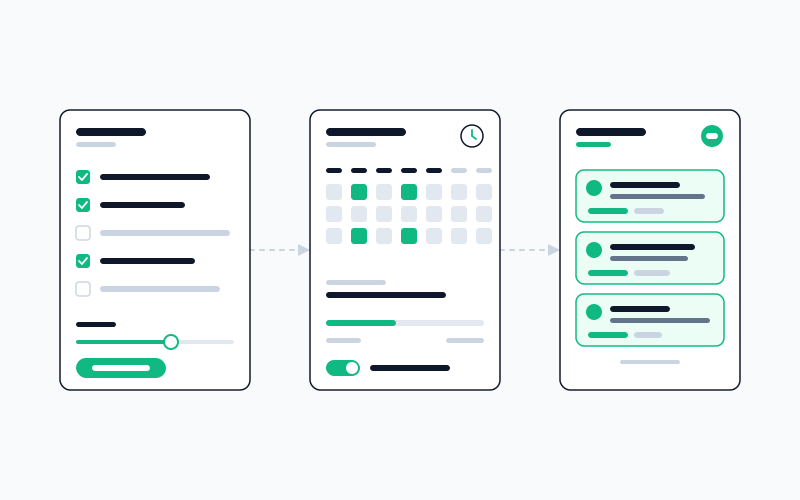
Most job-search automations drown you in 100 irrelevant emails a week. Here's how to set one up so it saves time instead of becoming a second job.
Job-search automation has a bad reputation, and mostly deservedly so. Someone tells you to set up LinkedIn alerts and Indeed saved searches and a dozen company career-page notifications, and two weeks later your inbox has 400 job postings in it, none of which you'd actually apply to, and the whole thing has become a chore you ignore until you cancel the alerts.
The mistake isn't the idea of automation. It's the setup. Automation that saves you time requires exactly the opposite of what most people do when they set it up: more selectivity upfront, not less. This is the operating manual for getting automation right.
Why most automations become noise
When you create a job alert, the default instinct is to leave the filters wide. You don't want to miss anything. You'd rather sift through a few extra results than risk missing the perfect job.
The math of this is bad. If your query returns 80 results a week and the real matches are 3 of them, you've built a system that produces 96% noise. The cognitive cost of checking isn't zero: it's roughly five seconds per result times the number of results, plus the psychological cost of feeling behind on a backlog. Wider is not safer. Wider is exhausting.
The correct frame: you are not trying to maximize recall. You are trying to maximize the precision at which you still catch enough to be useful. A search that returns 5 results a week where 3 are real matches is dramatically better than one that returns 80 with the same 3 hidden in it, and yet most candidates set up the latter, because the former feels risky.
The selectivity setup
Before you create any automation, write down the specifics of what you actually want. Not "remote PM roles": that's a search, not a filter set. Something like:
- Seniority band: senior PM to director, not lead or staff PM. (Your target.)
- Company size: Series B to Series D, or late-stage public where the team is under 500. (Exclude megatech and pre-seed.)
- Industry: B2B SaaS or developer tools. Not consumer, not fintech, not healthcare.
- Location / remote: fully remote, US or EU timezone.
- Comp floor: $180K base, adjust by geo.
- Tech context: products that have an API-first or infrastructure-y component. Not pure consumer UX.
This exercise feels arbitrary. Do it anyway. The value isn't that each filter is perfectly right: it's that the filters exist, so the automation has rules to apply. The most common reason automation becomes noise is that the filters were never specified in the first place.
Where to actually set the filters
Most platforms have three layers of filtering. The instinct is to set filters at the platform level (LinkedIn's dropdowns, Indeed's checkboxes). That's necessary but not sufficient.
- Layer 1: Platform filters. Keyword, location, seniority, date. These are blunt: they exclude the obvious mismatches but let through anything that matches a keyword regardless of context.
- Layer 2: Saved-search queries. Boolean operators in the search box:
("senior product manager" OR "staff PM") AND ("infrastructure" OR "developer tools") NOT ("retail" OR "consumer"). Catches more nuance than dropdowns. - Layer 3: Post-filter automation. Something that reads the result before it reaches your inbox, strips out clearly irrelevant matches, ranks what's left by fit, and only delivers the top signal. This is where most candidates stop because it requires tooling or discipline to do manually.
The gap between layer 2 and layer 3 is where the 96%-noise problem lives. Layer 1 + 2 on their own get you to maybe 60% noise. Layer 3 is the difference between 60% and 15%.
Cadence: the overlooked lever
How often the automation runs matters as much as what it filters for.
Hourly is almost never right. You're not going to apply in the hour it posts. You're going to get distracted and miss the batch, or you're going to obsessively check and waste time on each individual result. The only exception is senior roles at companies with tiny applicant pools, where being in the first ten applicants genuinely matters.
Daily is the right cadence for active searches. One batch, one morning slot to review, done by 9am. The batch is small enough (ideally under ten items) that you can triage each one in two or three seconds. This is the cadence that actually sustains.
Weekly is right for passive searches: "I'm not actively looking but I want to see what's out there." A weekly digest of 10-20 items fits into a Sunday-evening skim. Good for the long background search.
Mixing cadences is fine: one daily alert for your top two or three search targets, one weekly digest for the broader "curious about" list. The mistake is running everything at the same cadence.
Stop conditions: the thing nobody sets
Every automation should have a termination condition. Not "I'll remember to turn it off." An actual rule the system applies.
- Time-based: after 60 days, the automation pauses and asks you to renew. Forces a re-evaluation of whether the filters are still right.
- Signal-based: after 20 applications submitted from this automation, pause. Forces you to evaluate whether it's producing interviews or just noise.
- No-yield-based: if the automation returns zero matches for four consecutive runs, pause and alert you. Means either your filters are too tight or the market shifted, both worth knowing.
Without a stop condition, automations run forever. Stale automations are worse than no automation: they produce a slow drip of increasingly irrelevant results that you stop checking, which creates a subtle background anxiety every time you see the unread count.
The once-a-week audit
Put 15 minutes on your calendar, weekly, to review your automations. Not to check the results: that's the daily work. To review the automations themselves.
For each one, ask:
- How many results did this produce this week?
- How many did I actually open?
- How many did I apply to?
- If fewer than 20% produced an interview-worthy application, what specific filter would have excluded the bad ones?
Adjust the filters. Kill the automations that aren't pulling their weight. Add new ones for gaps you noticed. This fifteen minutes is the hidden work that separates an automation that compounds from one that decays.
What to do with the results when they arrive
The single biggest anti-pattern: treating automation output like an inbox. Clicking each one, reading, closing, moving on. That's just slower manual searching.
A better pattern:
- Triage in bulk. Open all the morning's results. For each, make one of three decisions (yes, no, maybe) in under five seconds.
- Yeses go to an applications queue (a Notion board, a spreadsheet, a tool's saved-for-later, whatever). They don't get applied to on the spot; they get queued.
- The applications queue is a separate work session later in the day or the next morning. That's when you tailor, write, submit. You're doing one type of work at a time: triage then craft.
Mixing triage and craft is how automation burns out. The cognitive switch between "is this relevant" and "write me a good cover letter" is expensive. Separate them.
What automation doesn't replace
It doesn't replace your direct target-company list. The companies you specifically want to work for should be checked manually, weekly, on their actual career pages, because that's often where real roles post and never make it to the aggregators. Automation is for the broad search. The narrow list is hand work.
It doesn't replace networking. The roles that fill through warm introductions never appear on any of these automations because they never get posted. The time automation saves should partially reinvest into outreach, not into more searching.
It doesn't replace tailoring. A job auto-matched to you at 87% still deserves a resume and letter shaped for that role before anything is sent. The search automation saves the search time, not the application time. People forget this and bolt on a blind auto-apply (the same resume fired at everything a keyword search returns), which produces the worst conversion rate of any tactic in the job-search universe. If you do automate the applying, the same rules apply with higher stakes: narrow criteria, a minimum match score, a slow daily pace, and tailored documents, not one generic file.
The honest take
Most job-search advice is about doing more. Automation is one of the few levers that's genuinely about doing less (fewer tabs open, fewer searches run, fewer decisions made per week) while catching more of what you actually care about. But it only does that if you set it up adversarially against your own instinct to leave the filters wide.
Narrow filters, daily cadence, stop conditions, weekly audit, triage separate from craft. That's the whole playbook. It's not sexy. It works. For the psychology side of why browsing is harder to drop than it looks (and what replaces it), see the case against browsing for jobs.
Jobiz's Automations are built around the cadence principles above. What they remove isn't the judgment step; it's the 40 tabs open at 10pm trying to manually catch up. Auto-apply, on the Pro and Max plans, follows the same rules: it only applies to jobs that pass your criteria and your minimum match score, at a daily pace you set, and every application it sends shows up in your Tracker.
No spam. Unsubscribe anytime.
Related Articles
The recruiter screen: what the first call is really checking
The first call is short, but it filters more candidates than any other stage. What the recruiter is listening for, and how to answer the money question.
 Jobiz Team

Your employer made a counter-offer. Should you take it?
A counter-offer fixes the number, rarely the reason you looked. How to weigh one honestly, and how to turn it down without burning the bridge.
Jobiz Team
Take-home assignments: how much unpaid work is too much?
A fair take-home is a few hours, scoped, and reviewed by a person. How to tell a reasonable one from free consulting, and what to say when it isn't.
Jobiz Team